Banks and payroll systems often send statements locked with a password you already have. Typing it every time gets old. Unlock saves a copy that opens freely, using the password you type and nothing else.
How to unlock with PDF Keel
- Drop the locked PDF on the box above.
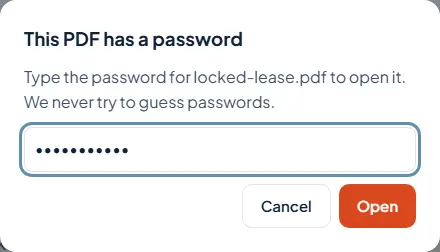
- A window asks for the password. Type it and press Open.
- If the password is wrong, you can try again. Nothing is guessed for you.
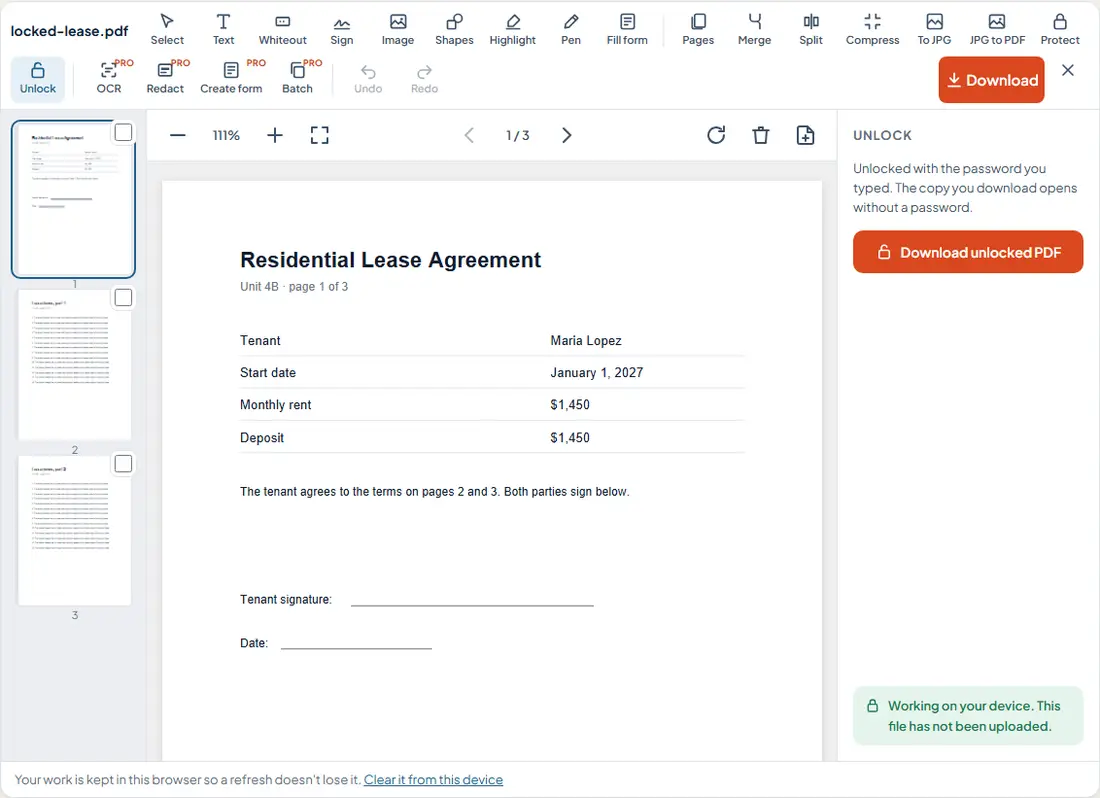
- The Unlock panel confirms the file is open.
- Press Download unlocked PDF to save a copy without the password.
What it can't do
Unlock never cracks, guesses or bypasses a password. If you do not know it, ask the sender. Some files open freely but block editing with a separate owner password. To edit those, you need that owner password too.
Tip
An unlocked copy is easy to share by mistake. If you only need to sign or fill the file, do that and then use Protect to lock the result again before sending it back.
Questions
Is it legal to remove the password?
Removing a password you were given, from a file that is yours to use, is fine. Do not unlock files you have no right to open.
Is the password sent anywhere?
No. The file is unlocked inside your browser. The password is used once and not stored.
Will the unlocked file look the same?
Yes. Pages, text and images are unchanged. Only the encryption is removed.