Sign a contract, lease or form without printing it. You make the signature here, put it on the page, and save a signed copy. The PDF and your signature stay on your device the whole time.
How to sign with PDF Keel
- Open the PDF that needs your signature.
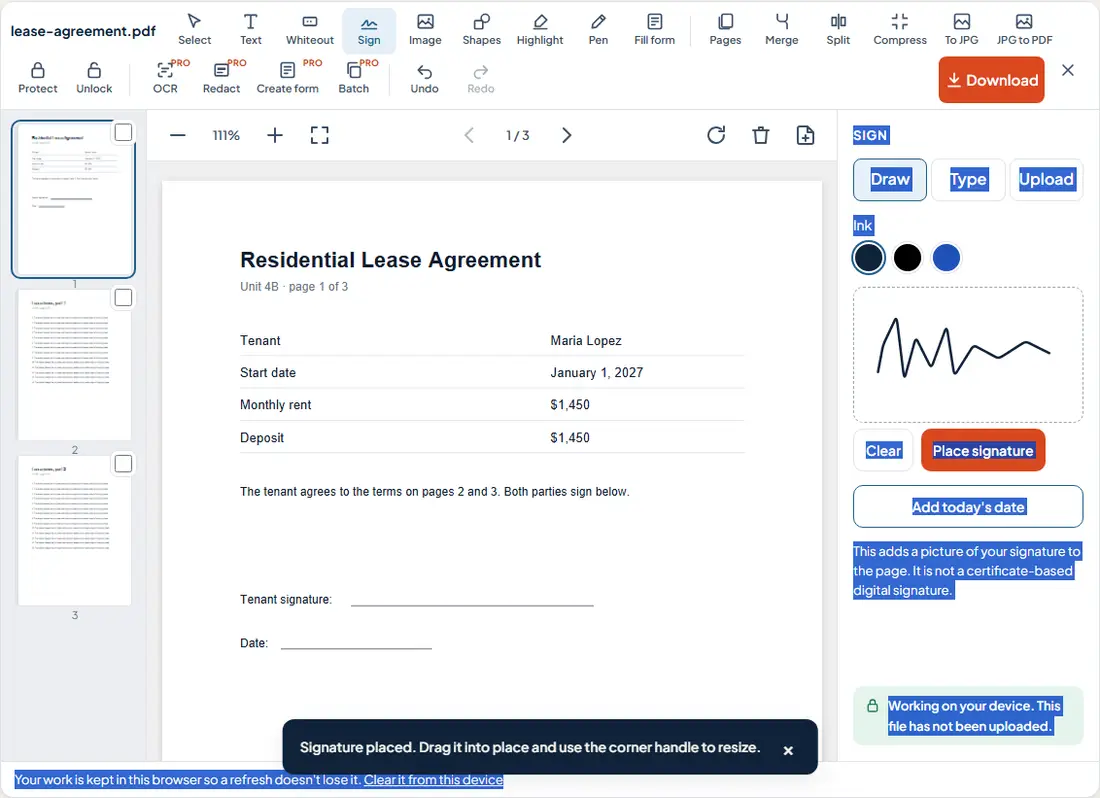
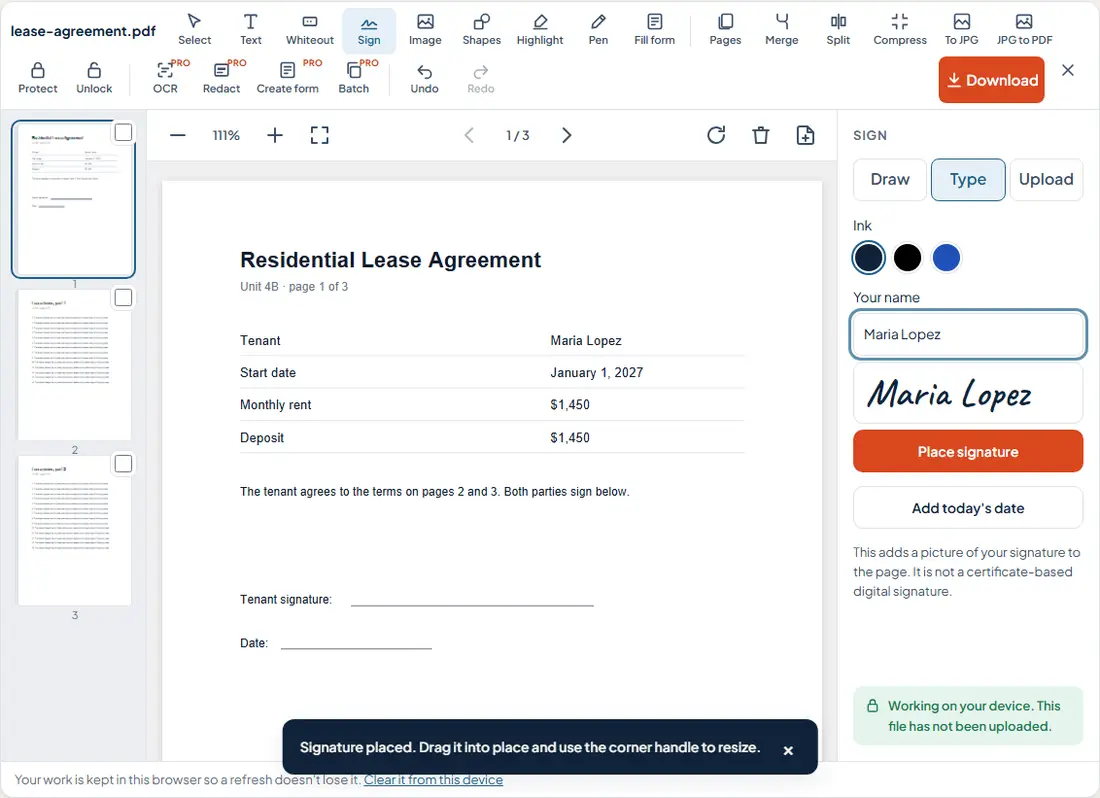
- In the Sign panel choose Draw, Type or Upload. Draw works with a mouse, a trackpad or a finger.
- Press Place signature. It lands on the page you are looking at.
- Drag it onto the signature line. Pull the corner handle to make it bigger or smaller.
- Press Add today's date if the form asks for one, then drag the date next to the line.
- Download the signed PDF.
What it can't do
This places a picture of your signature. It is not a certificate-based digital signature, so it does not prove who signed or lock the file against later changes. Some banks and courts require that stricter kind. Signatures are not saved between visits yet. Saved signatures are planned for Pro.
Tip
For an uploaded signature, sign with a dark pen on plain white paper and take the photo in daylight. The white background is removed automatically, and a clean photo gives the sharpest edges.
Questions
Is a signature made this way legal?
Many everyday agreements accept a simple electronic signature like this one. Rules vary by country and document type, so check if you are unsure.
Can I sign more than one page?
Yes. Scroll to the next page and press Place signature again.
Do you keep a copy of my signature?
No. It is drawn in your browser and goes only into the file you download.